


Discover the best platforms to build a course community. Compare 6 popular options and learn how to create deeper student engagement with ease.
You’ve poured your time and energy into building a great course. The lessons are solid. The videos are polished. The platform runs like a dream.
But still… something’s off.
Students sign up, watch a few modules, and then disappear. They don’t finish. They don’t engage. And they don’t come back.
It’s frustrating – because you know your course delivers value.
So what’s missing?
In many cases, the answer is connection. Learning online can feel incredibly isolating. Without a space to ask questions, share wins, or interact with others on the same journey, students lose motivation – no matter how good the content is.
Community might be what your course lacks.
When you create a space where students can connect, engage, and grow together, your course is no longer just information or content. It becomes an experience they want to stick with – and share.
You might think building that kind of community has to be overwhelming. But, in this post, we’ll show you how to do it simply and effectively. We will also share tools and resources that will make it enjoyable for you and your students.
Why Your Online Course Needs a Strong Community
Online courses thrive when they help people create real change. But lasting change doesn’t happen when students feel isolated.
Here’s why adding a community to your course can make a difference:
1. It Boosts Engagement and Accountability
When students can check in with others, ask questions, and share progress, they stay motivated and engaged. It’s easier to keep showing up when you’re not doing it alone.
2. It Increases Retention and Course Completion
A thriving community encourages students to keep going, even when things get tough. People are far more likely to complete your course, and you get to retain more students, when they feel supported and seen.
3. It Builds Student Loyalty (and Referrals!)
A strong community makes your course more memorable and valuable. Happy, connected students don’t just finish your course; they tell their friends about it and come back for more.
4. It Creates an Evergreen Content Loop
When students ask questions, share tips, or post insights, they generate content that benefits future learners. This keeps your course fresh and dynamic long after launch.
Bottom line? A course with a connected community delivers more value for your students and your business.
Which Community Platform Is Best for Your Course? Here’s What to Know
Once you decide to add a community to your course, the next big question is: Where should it live?
With so many platforms available, it’s easy to feel overwhelmed. Some tools are great for quick conversations but fall short on structure. Others are powerful but require extra logins, monthly fees, or a steep learning curve. And if the setup feels clunky or disconnected from your course, your students probably won’t use it.
The goal isn’t just to “have a community,” it’s to choose a platform that actually supports your students, fits into your workflow, and grows with your business.
Below, we’ll compare six of the most common community-building options – what they do well, where they fall short, and what to consider before committing.
1. Facebook Groups
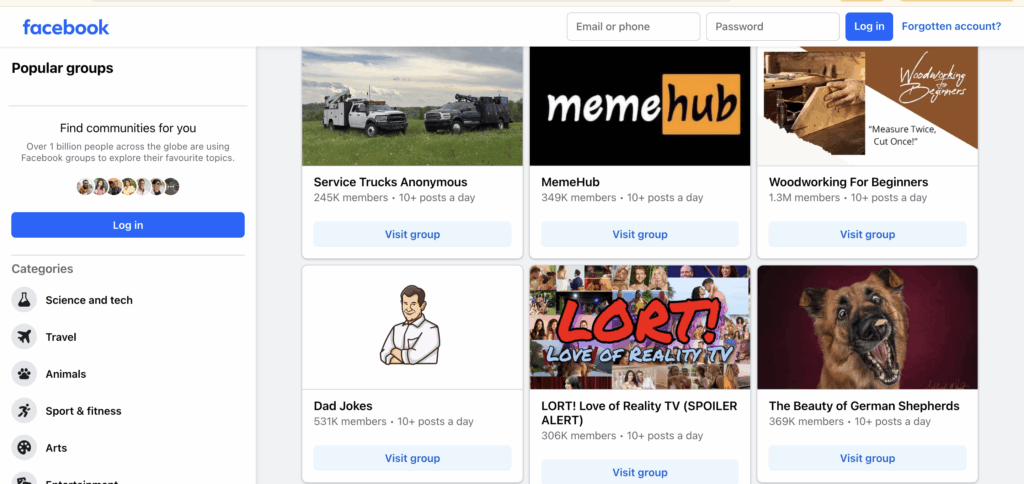
There’s a good chance you’ve already been part of a Facebook Group – or even run one yourself. For years, it’s been the go-to space for online communities of all kinds: book clubs, alumni networks, niche hobbyists, and even online course students.
Why? Because it’s familiar. Everyone knows Facebook. Your students likely already have an account, and joining a group takes just a click. It feels easy, comfortable, and low-friction.
Pros of using the platform:
- It is familiar and easy to use
- No onboarding needed, your students already know how to navigate it
- You can create a group in minutes
- Features like polls, events, and live videos are built in
But the very things that make Facebook Groups convenient also make them risky.
Cons of using the platform:
- Distracting, algorithm-driven, and outside your control
- Students are bombarded with ads, friend requests, and unrelated notifications
- Important course conversations can get buried or missed entirely
- You don’t own the group; Facebook does. And their rules can change at any time
For many creators, Facebook Groups are a decent starting point, but not a long-term solution. When you’re ready for a more focused, professional, and on-brand experience, it might be time to move your community closer to home.
2. Discord

Originally built for gamers, Discord has exploded in popularity among online communities, especially younger, tech-savvy audiences. It offers a mix of live chat, voice channels, and organized text threads, making it feel like a buzzing digital hangout space.
Some course creators love Discord for the casual, always-on vibe. Others find it chaotic. It really depends on your audience and how structured you want your community to be. If you use MemberPress, you can also easily connect to Discord.
Pros of using the platform:
- Instant replies and fast-moving discussions
- Voice channels for live study sessions, coaching calls, or co-working
- Bots and integrations for custom functionality
- Real-Time Chat and High Engagement
Cons of using the platform:
- Too many channels can confuse new users
- Important posts can get buried in the scroll
- Not ideal for structured learning or long-term discussion threads
- Overwhelming and Hard to Organize
If your students are Gen Z or digital natives, Discord might feel natural to them. But if you're teaching a broader age range, or want your community to feel calm, focused, and content-driven, it may not be the best fit.
3. Slack
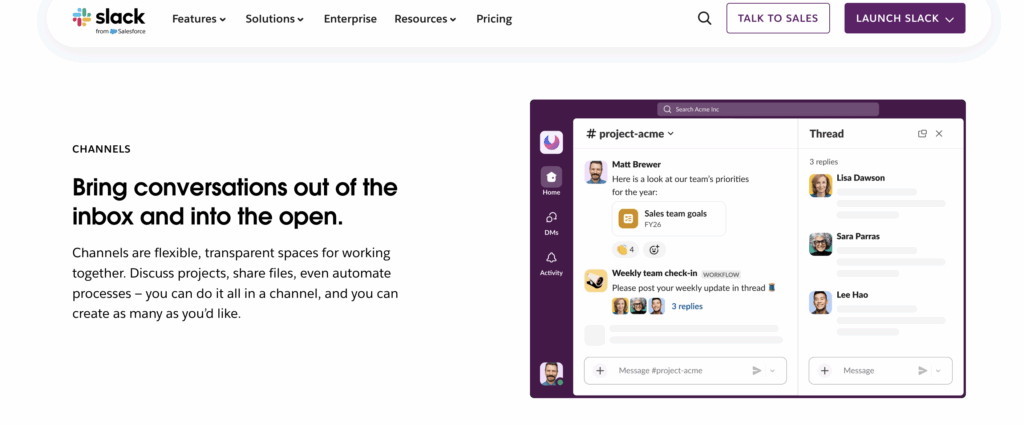
If you’ve worked in a corporate or remote team environment, you’re probably familiar with Slack. It’s a clean, organized messaging platform designed for productivity and collaboration. Some course creators have turned to Slack for its professional look and structured communication, especially in cohort-based or business-focused programs.
It feels less noisy than Facebook or Discord, and the interface is intuitive. But there’s a catch: Slack wasn’t built for online courses.
Pros of using the platform:
- Professional and well-organized
- Threads help keep conversations tidy and on-topic
- Ideal for B2B or professional training courses
- Works well for small, tight-knit groups
Cons of using the platform:
- Limited long-term community features
- No built-in content hosting, forums, or member directories
- Students can’t engage asynchronously as easily
- Slack’s free plan has message history limits, and paid plans add up fast
If your course is short-term, live, and accountability-heavy, Slack can work. But for evergreen courses or growing communities, its limitations show up quickly.
4. Circle.so
Circle is one of the newer platforms built specifically for creators and educators who want a sleek, modern space to host their communities. It’s often seen as a cleaner, more focused alternative to Facebook. without the ads and distractions.
Many coaches, course creators, and membership site owners choose Circle for its polished look, flexible structure, and ability to combine content with conversation. It’s especially popular among those who sell high-ticket programs or want a branded community experience.
Pros of using the platform:
- Designed for creators and community building
- Clean interface with customizable “spaces” for different topics or groups
- Allows for events, threaded discussions, and even course hosting
- Good user experience for both creators and members
Cons of using the platform:
- It lives outside your website
- Your students need to create a separate account and log in elsewhere
- You’ll need to pay a monthly fee, with pricing based on features and members
- If your course is built on WordPress, syncing everything takes extra work
Circle can be a great tool if you want a standalone community hub and don’t mind managing it outside your main site. But for WordPress users looking for tighter integration and simpler workflows, it might feel like an extra layer of complexity.
5. BuddyBoss
For course creators who want total control over their community and are willing to invest a little more time in setup, BuddyBoss is a WordPress-based option.
Think of it as building your own private social network, complete with activity feeds, member profiles, private messaging, forums, groups, and more. It’s a favorite among advanced users who want to replicate something like Facebook, but entirely on their own terms. BuddyBoss also integrates seamlessly with MemberPress.
Pros of using the platform:
- Highly customizable and feature-rich
- Built specifically for WordPress, with LMS integrations
- Includes forums, messaging, gamification, and mobile app support
- You control everything: branding, features, and user experience
Cons of using the platform:
- Setup can be complex and time-consuming
- Requires technical know-how (or a developer) to get it running smoothly
- More moving parts mean more maintenance and plugin management
- It can feel overwhelming if you just want a simple community space
If you’re creating a robust learning ecosystem with multiple courses, social networking features, and long-term member engagement, BuddyBoss is worth exploring. But if your goal is quick setup and a streamlined community tied directly to your course, it might be more than you need.
6. MemberPress Community Add-On
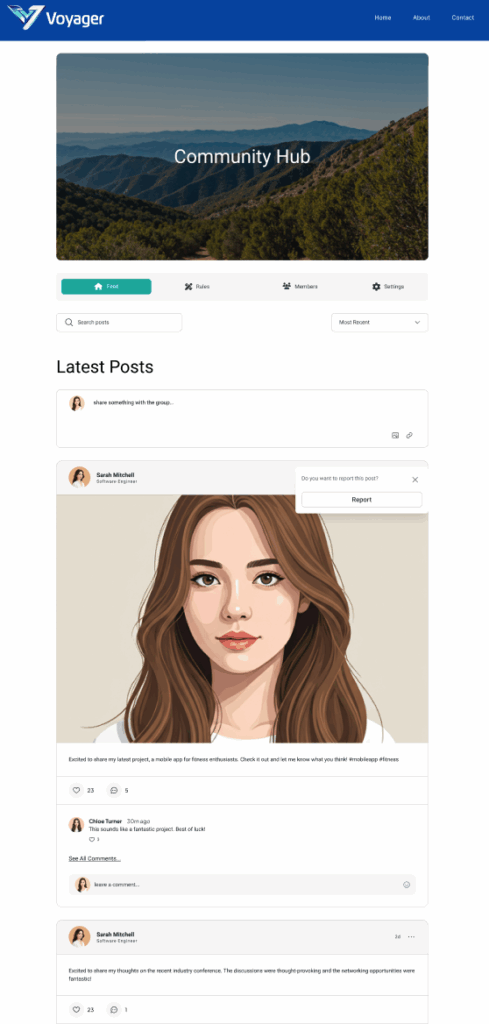
If you're already using MemberPress to power your course or membership site, the new Community Add-On is the simplest and most seamless way to bring your students together, without sending them off to a separate platform.
Designed to feel like a Facebook-style experience but built right inside your WordPress site, this lightweight add-on makes it easy to create exclusive, membership-gated community spaces. Everything stays under your control, tied directly to the membership levels you’ve already set up.
Pros of using the platform:
- Built for MemberPress users
- Keeps your community and course in the same place
- No extra logins, tools, or complicated setup
- Designed to foster engagement and reduce churn by giving members a reason to come back
Cons of using the platform:
- Only Available to MemberPress Users
If you’re not using MemberPress yet, you’ll need to set that up first, but for WordPress-based course creators, it’s an investment that pays off across content protection, monetization, and now, community-building.
If you want a simple, private, and professional space where students can connect without distractions, the MemberPress Community Add-On is built with you in mind.
How to Start Building Your Course Community (Even If You’re Busy or Introverted)
You don’t need to be a full-time moderator or extroverted community manager to build a space your students love. In fact, the best course communities often start small, with a few intentional steps that create momentum over time.
Here’s how to ease into it:
Start with 1 – 2 Discussion Prompts Per Week
You don’t need to spark a viral thread every day. Just ask a thoughtful question related to the week’s topic, or invite students to share their biggest takeaway. Keep it light and relevant. Even a simple, “What’s one thing you learned today?” can go a long way.
Celebrate Small Wins
When a student finishes a module, shares a breakthrough, or posts a great question, highlight it! Welcome new members with a quick shoutout post. These small moments make people feel seen, and they encourage others to participate.
Create Topic Threads to Keep Things Flowing
Organize your community with recurring threads like:
- Monday Wins (share progress)
- Ask Me Anything (weekly Q&A)
- Challenge Zone (encourage action-taking)
- Off-Topic Lounge (build casual connection)
With the MemberPress Community Add-On, you can create multiple communities or threads and manage visibility based on membership level, so each student sees the most relevant conversations.
Use Tags and Access Controls to Stay Organized
As your community grows, it helps to keep things tidy. Use MemberPress access rules to assign different communities to different membership tiers or course cohorts. That way, students only see the conversations that apply to them, keeping things focused and easier to navigate.
Remember: Building a community doesn’t mean being online 24/7. It means creating a space where your students feel supported, encouraged, and connected, without needing to go it alone.
Final Thoughts
At the heart of every great online course is community and connection.
While your students are here to learn, they also want to feel supported, seen, and part of something bigger than themselves. That sense of belonging can be the difference between someone quietly quitting and someone pushing through to success.
The best part? You don’t have to be a tech expert or community wizard to make it happen.
With the right tools, like the new MemberPress Community Add-On, you can create a thriving space for your students without adding stress to your workload.
Ready to Build a Community Your Students Will Love?
👉 Explore the MemberPress Community Add-On now and start building a space your students won’t want to leave.
Let us know if you have any questions or additional information in the comments section below.








Add a Comment